
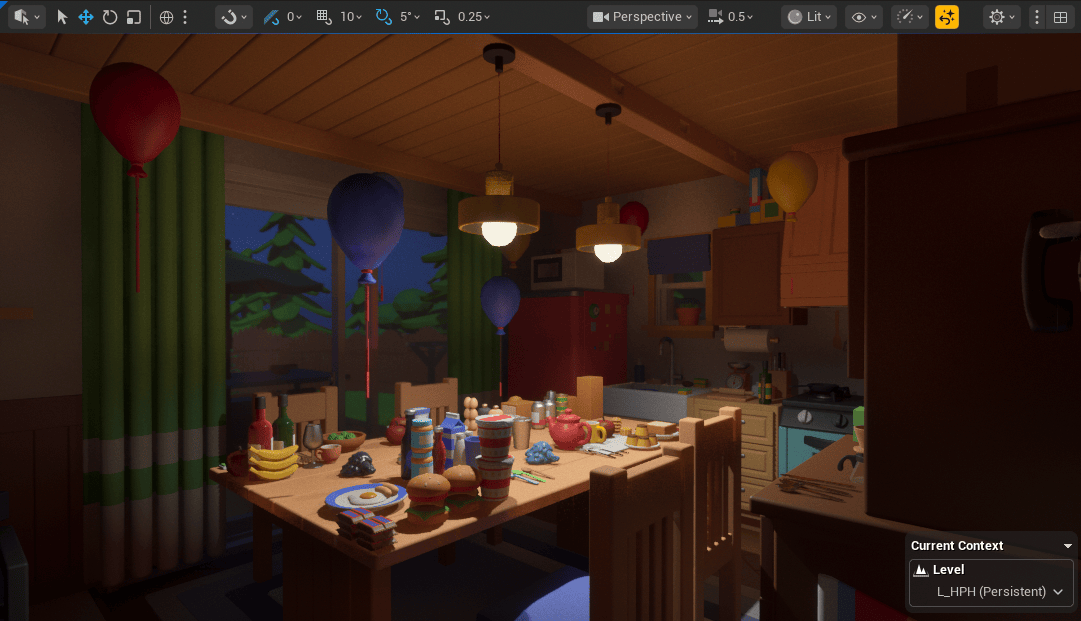
This month was a particularly busy one with work.
Despite that, I was able to complete one enemy character as planned, and I also finished creating an additional NPC that I had not originally expected to make.
On top of that, I managed to use small gaps of free time to organize the folder structure and optimize lighting.
As a result, it turned out to be a far more productive month than I had anticipated.
●Piggy Bank
In the begging of the month, I managed to secure a bit of uninterrupted time, so I focused on working on an NPC.
As you can see, it is a piggy bank.
When I was a child, I had one that was bluish green. I wonder where he ended up.
Partway through modeling, it started to feel less cute than I wanted, so I adjusted the eyes at the very end.
But why is he breathing so heavily? You will only find out by playing the game:i
The image below is a kind of concept art.
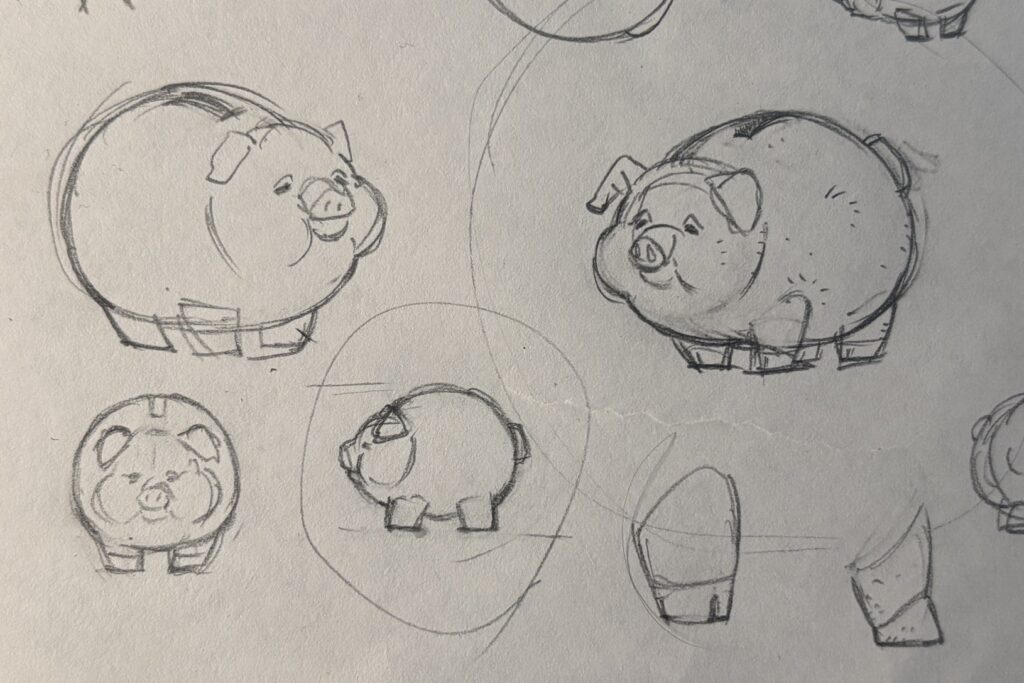
I did not realize this when I was drawing the concept art, but while working on the material, a thought suddenly occurred to me.
Since it is made of ceramic, would not such thin ears break easily?
So I broke them.
This time, unlike last month’s Kaiju, I created the rig from scratch.
Given the simple shape, I felt that existing setups like Auto Rig Pro or Rigify would be unnecessarily complex.
Even though I say “from scratch,” the setup is very simple, with deformation bones directly serving as control bones, so it did not take much time.
For weight painting, since Blender has reached version 5.0, I decided to try the built in painting tools.
I was honestly surprised at how much they have improved compared to what I remembered.
The last time I really used them was around 2.8, so that should not be too surprising.
In my previous blog post, I strongly recommended Handy Weight Paint add-on, but going forward, I think my reliance on it will likely decrease.
●Lighting Optimization
Lighting has a very strong impact on performance, so it needs to be carefully optimized.
Of course, with MegaLights, you can place lights with almost no restrictions.
Unfortunately, on macOS this is only supported from 5.7 onward, so it is not available to me.
All the features I actually need were already in 5.6, so I do not plan to upgrade to 5.7.
With that in mind, I moved on to optimizing the lighting setup.
First, I enabled View → Optimization Viewmodes → Light Complexity to identify performance heavy areas.
This visualizes lighting cost using colors.
The red areas indicate the problematic parts.
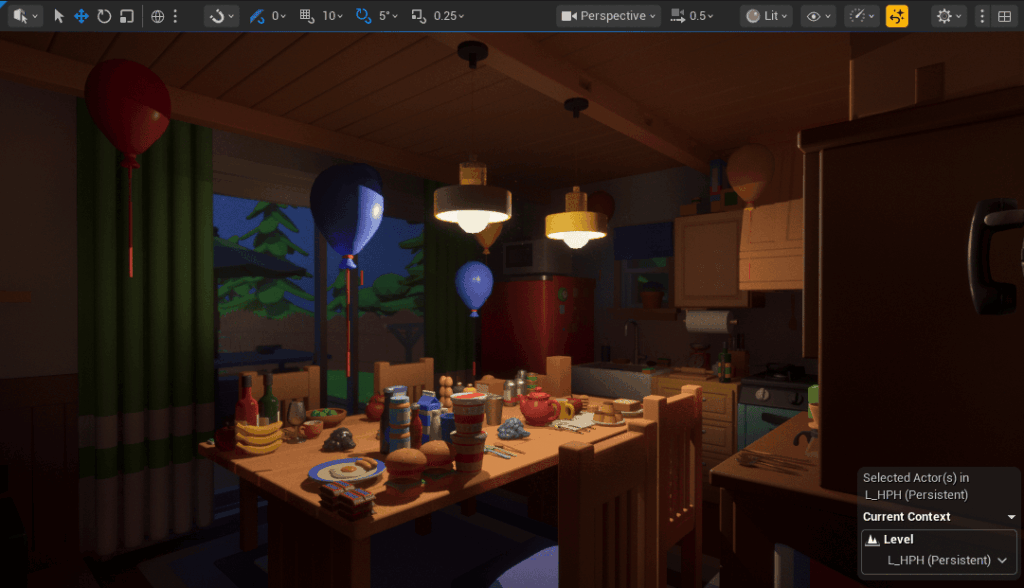
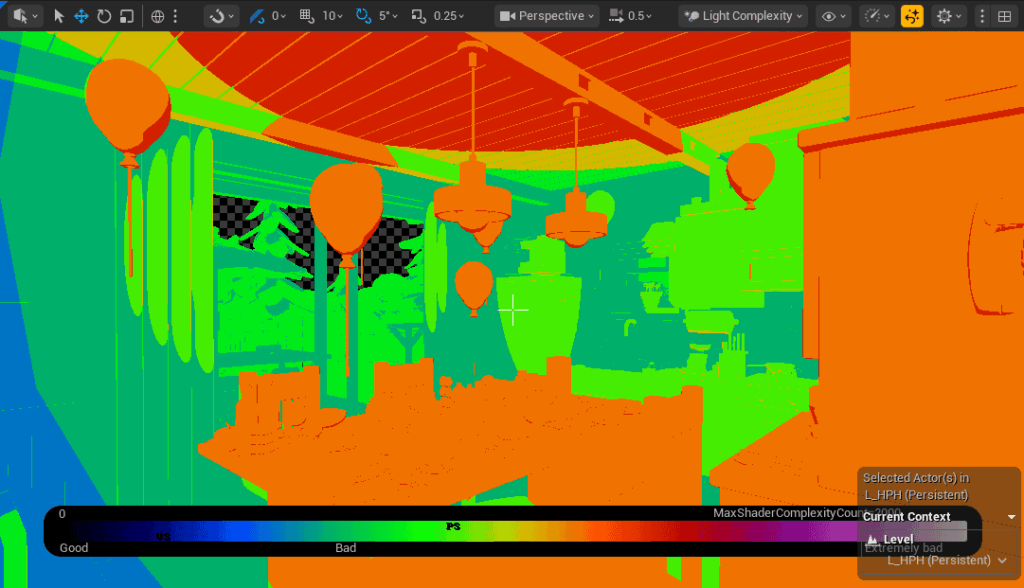
In this case, the cause was very easy to identify: point lights.
Point lights emit light uniformly in all directions, so even areas like the ceiling, which are not actually being lit, are still considered part of the light’s influence range.
As a result, they incur unnecessary performance cost.
So, simply replacing them with spot lights gives us the following result.
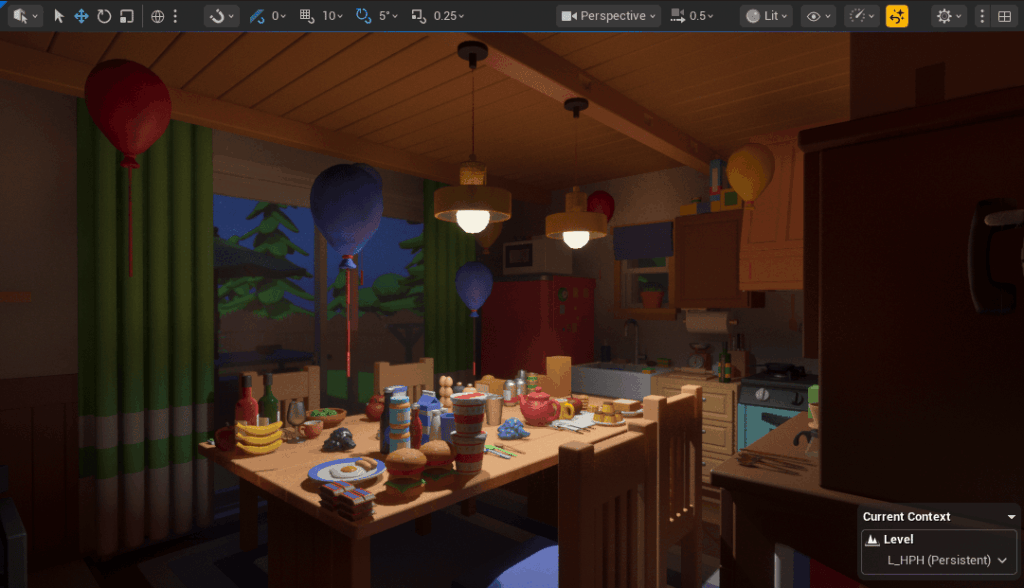
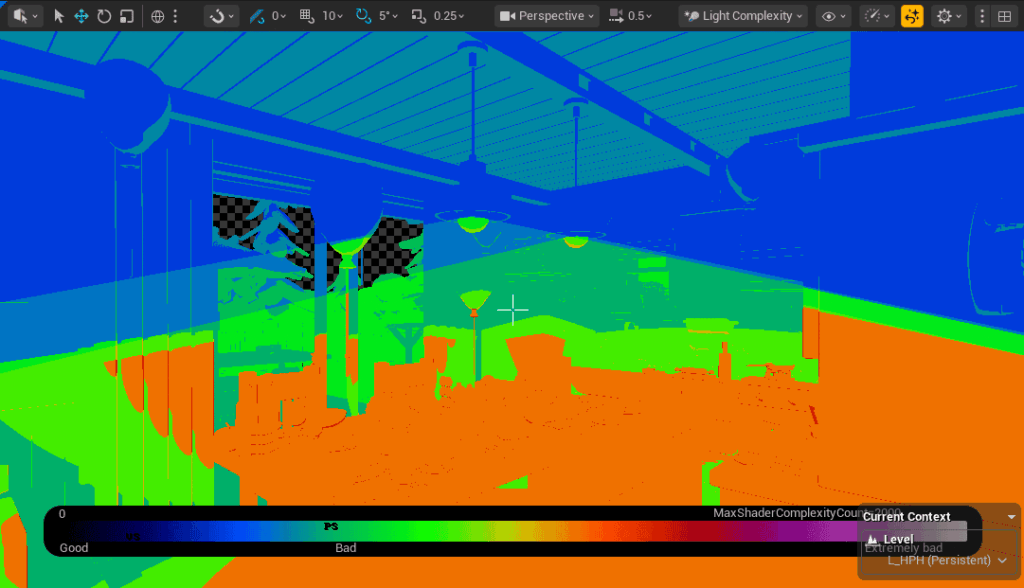
Both the visuals and performance improved.
Using this approach, I replaced every light that could safely be converted to a spot light.
For reference, lighting performance generally ranks as follows, from best to worst: spot lights, rect lights, then point lights.
This makes intuitive sense, since it directly corresponds to how wide an area each light affects.
Lastly, here is a comparison image of the final look.


●Improving Memory Popup
I made some improvements to the memory popup.
Up until now, the UI filled the entire screen, creating a kind of heavy presentation.
With this update, it has become much lighter and cleaner.
Hmm.
The previous version might actually have been better.
I think I will experiment a bit more.
●Folder Structure Overhaul
I carried out what will likely be the final major overhaul of the folder structure.
Until now, things had been packed in rather loosely, so I reorganized everything to properly match the game logic.
The most helpful reference by far was the well known Allar’s guide.
What makes this guide especially valuable is that it clearly explains the reasoning behind each organizational rule.
Even better, those reasons are genuinely convincing.
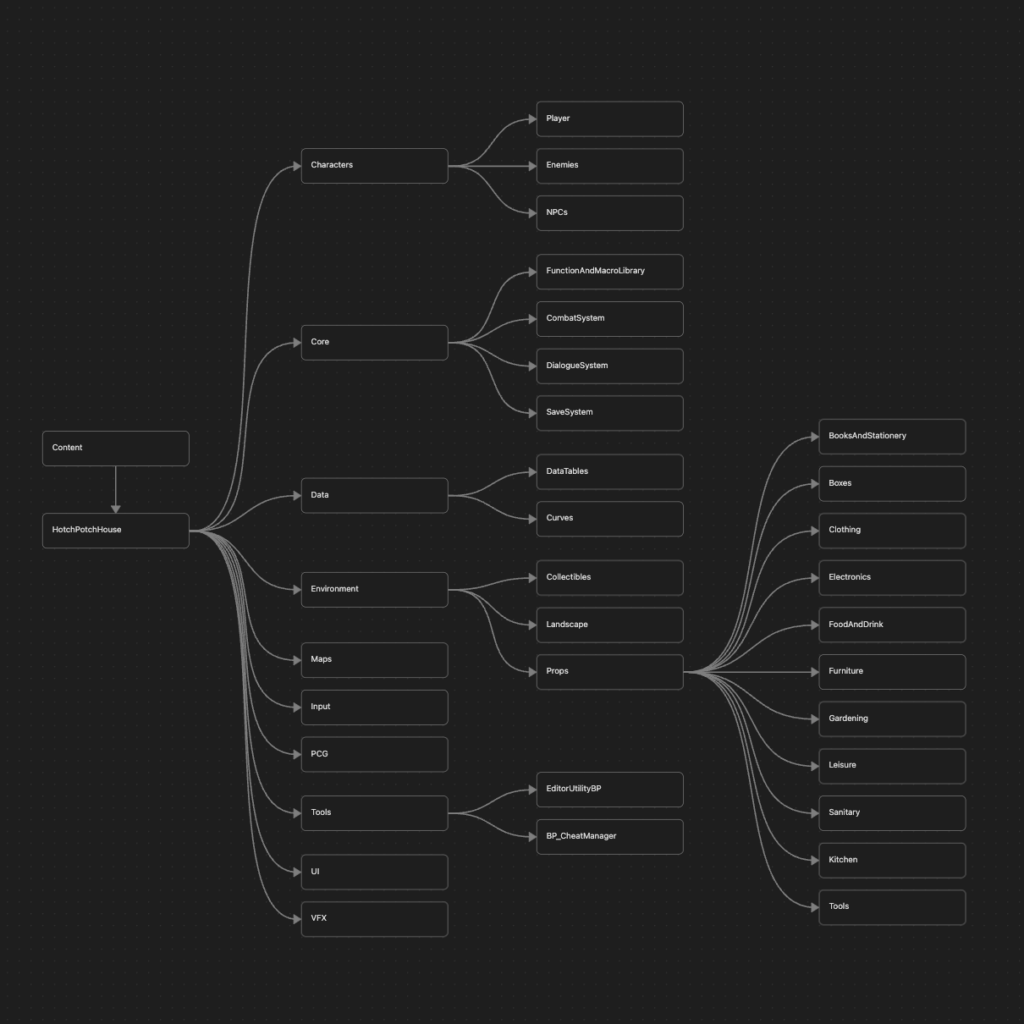
The point that stood out to me the most was the rule of creating a project named folder, in my case “HotchPotchHouse”, directly under the Content folder, and then placing folders like Characters and Maps beneath it.
When I first saw this, I thought, why go through such unnecessary trouble?
But after reading the explanation, it made complete sense.
The idea is to prevent existing assets from being overwritten when migrating assets from another project.
If you migrate assets and their dependencies come along with them, and one of those dependencies happens to have the same name as an existing asset, that quickly becomes a headache.
Going forward, I plan to adopt this structure.
Using Allar’s guide as a foundation, I adapted the categorization to fit HPH specifically, and eventually arrived at the structure shown below. Not every folder is visible, but the overall layout should be clear.
While not directly related to the folder structure itself, I also worked in parallel on replacing event based communication in Manager Blueprints with BPIs.
Previously, and this is slightly embarrassing to admit, the project was full of circular dependencies. For example, the Dialogue Manager and Quest Manager referenced each other directly and called events back and forth.
With this change, they now communicate without referencing each other at all.
As a result, even if one of them is replaced with a different Blueprint, everything still works correctly.
It also means that when migrating things to another project, unnecessary dependencies will not come along for the ride.
Ideally, this is something that should be decided early in development.
However, at the beginning I was simply hammering away at the keyboard without much thought, so concerns like this never crossed my mind.
That changed while working on other projects, where it occurred to me that using BPIs to improve modularity would be a better approach, and I decided to commit to it.
There may be opportunities to reuse this in other projects, and who knows, there might even be a sequel to HPH someday.
●Others
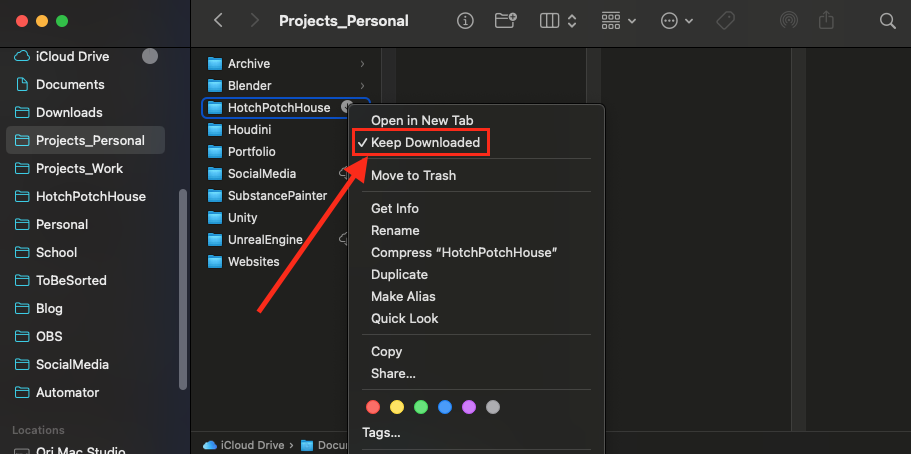
While updating HPH’s folder structure, I also took the opportunity to reorganize my Finder folders at the same time. This makes the third time in my life that I have done this.
Ever since I discovered the “Keep Downloaded” option in iCloud, I had wanted to migrate everything, and now things look much cleaner. Up until now, I had been managing all Unreal Engine projects and 3D assets in local folders, but at last everything is fully cloud managed.
I also configured some application settings so they can be shared across devices.
To do this, I used symbolic links.
On macOS, these cannot be created through the GUI, so you need to use the Terminal.
It is such a useful feature that I cannot help but wonder why Apple has not integrated it into the normal interface so that even people who are not deeply interested in computers can use it.
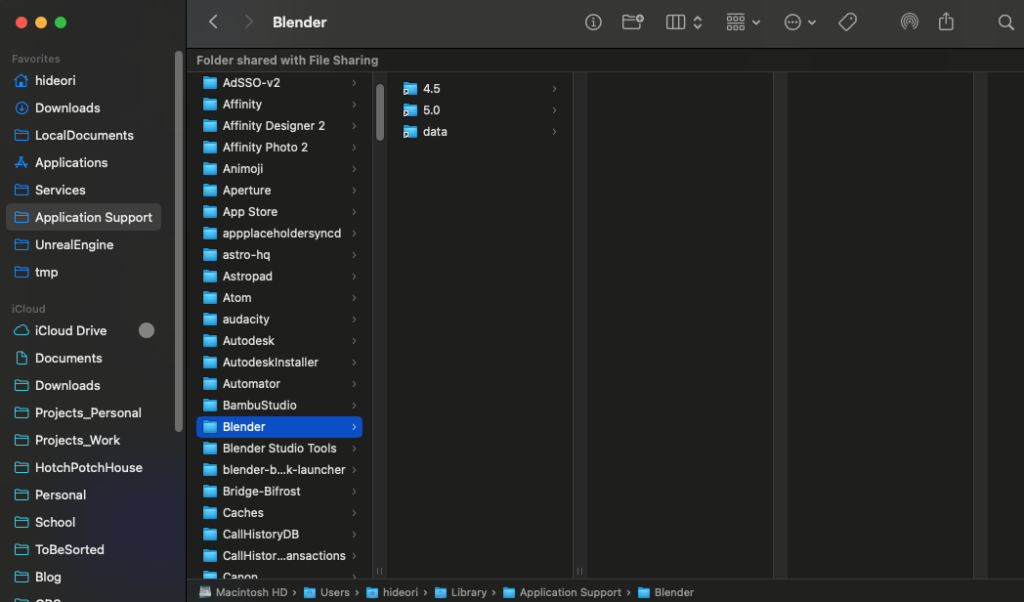
In any case, this means I no longer have to manually copy settings data to another Mac every time I tweak something.
As a side note, Substance Painter does not recognize symbolic links, so unfortunately its settings still have to be managed separately on each device.
●Future Plans
I mentioned at the beginning that I created a new enemy character, but I decided not to show it this time.
The reason is simple. Without its actual gameplay logic, the character is not interesting at all.
I could have worked on the logic as well, but there is something more important that needs to be done first.
That is migrating the entire AI logic to State Tree.
So in December, I will officially start the transition to State Tree (Finally!).
The core logic itself has already been developed in a separate project file, so the task will be to adapt it to fit HPH.
I have a feeling that various issues will come up along the way, but it should be manageable.
According to the yearly plan, December also includes creating two NPCs.
This time, I am planning to work on humanoid characters, which are quite rare in HPH, so I am really looking forward to it.
These will probably not be shared to avoid spoilers, though.
Or maybe they will. Not sure yet.
And speaking of December, there is one thing I absolutely cannot forget.
The results of the Epic MegaGrants will be announced.
They are scheduled to be released sometime between December 1 and December 5, so the announcement is very soon.
I will share the results on social media and in the December blog post.
Please look forward to it.
By the way, the Add to Wishlist button below does not look very good, does it?
It also breaks on mobile.
I would really like to improve it within December. I’d also like images on the site to open in a popup when clicked.
I can finish that next month, too.